Beyond the Advertiser View: Building the System Behind the System
Context
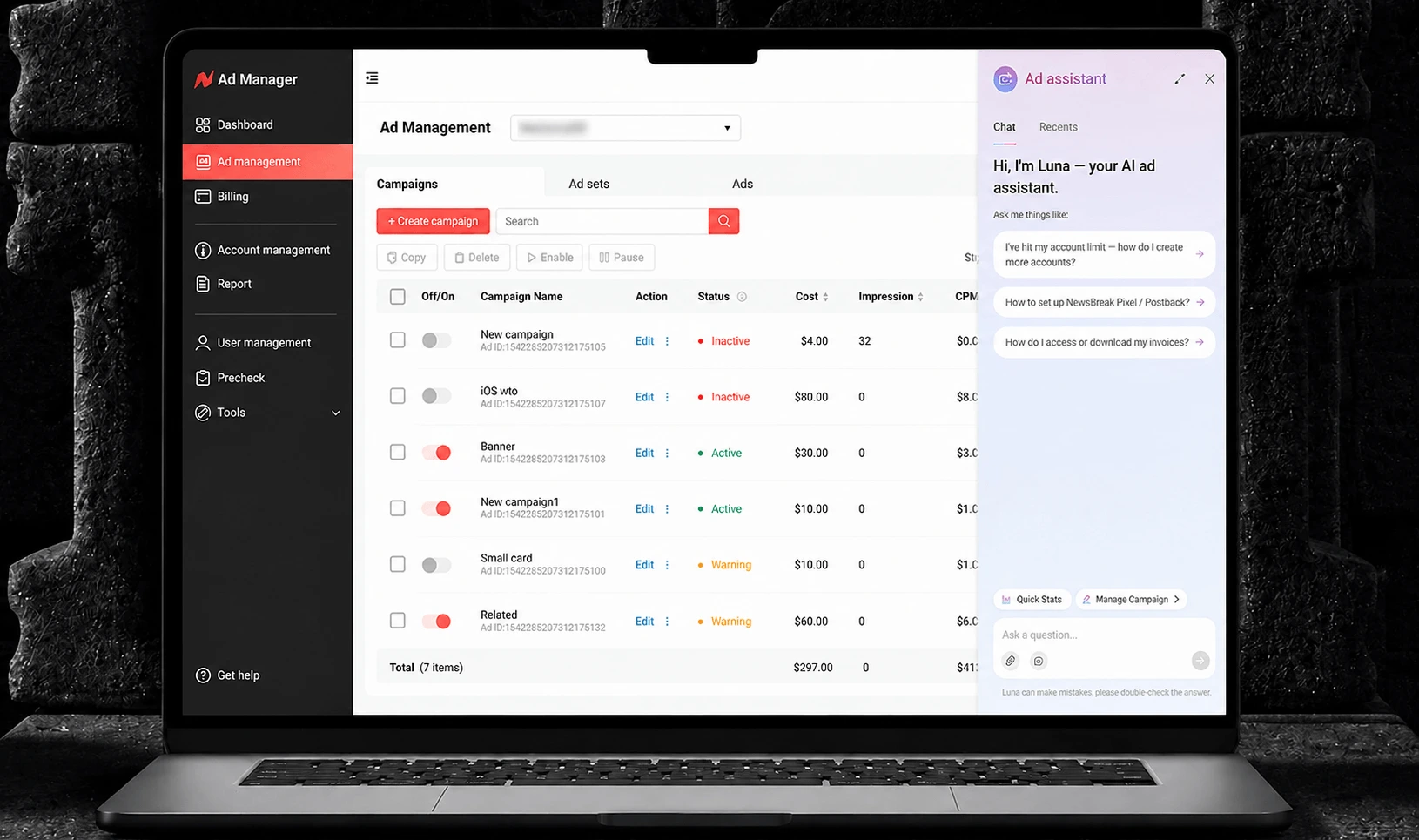
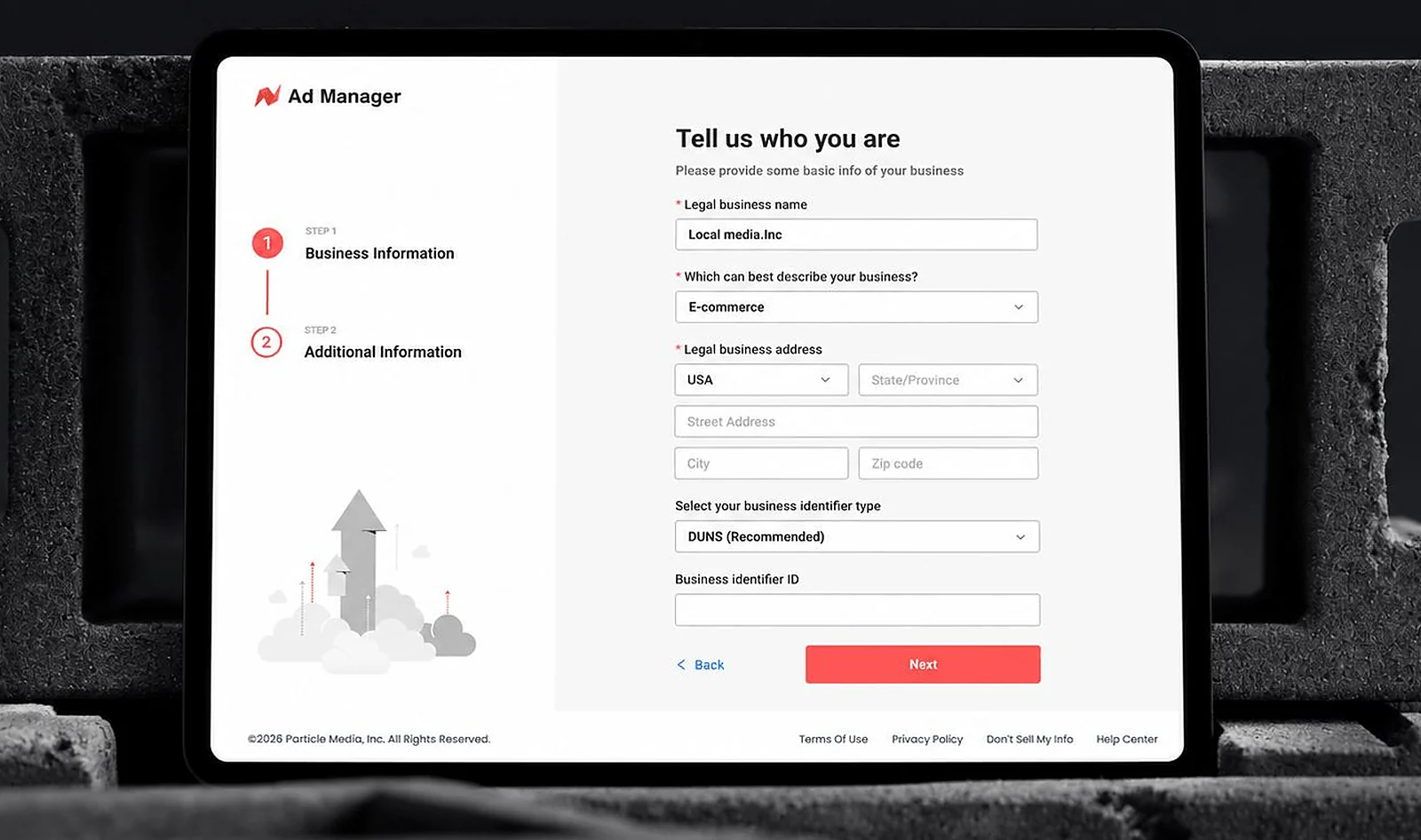
Most of what I'd built up to this point was for advertisers. But an ad platform has other users too — the internal team reviewing and approving ads, and the agencies managing dozens of client accounts on our platform at once. From the start, this system needed to serve three distinct audiences: General User (SMB and Affiliate advertisers, who share the same Ad Manager interface and differ only in what they see during onboarding), System Admin, and Agency Portal.
Unlike onboarding, which we backed into through trial and error, this had to be architected upfront. There was no MVP-then-iterate luxury here — three very different users needed to be usable on day one.
The Core Decision: One Framework, Not Three Systems
The instinct when facing three different user types is to give each one its own dedicated build. I didn't do that. Instead, I designed a single shared framework — one information architecture, one design language — and let content and permissions do the differentiating. Three separate systems would have been faster to design in isolation, but slower to maintain and impossible to keep consistent as the platform grew.
That shared framework grew into the Ad Manager design system — the component library and visual language now reused across every advertiser-facing and internal surface. The payoff compounded as the platform scaled: fewer one-off patterns for engineering to build against, less design debt to carry forward, and new features shipping roughly 30% faster than they would have on three divergent systems.
Navigation: Shared by Default
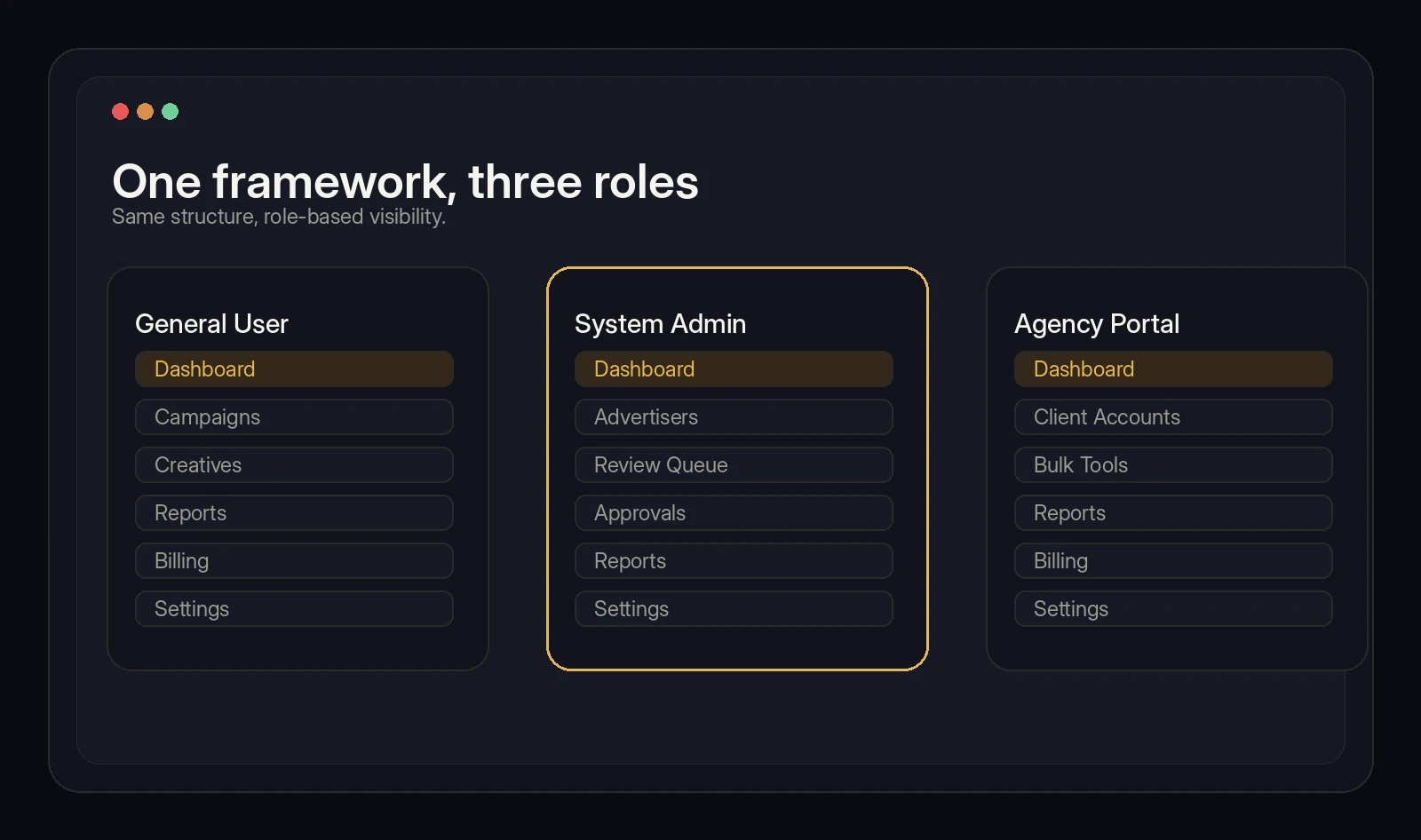
Most of the navigation structure is identical across all three roles. Only a handful of menu items are shown or hidden depending on who's logged in. The default assumption was: share unless there's a real reason not to.
Permissions: Two Layers, Not One
Getting the permission model right meant separating two questions that are easy to conflate: what can this role see, and what can this role do.
Visibility. System Admin can see data across every advertiser on the platform. Agency Portal users see only the accounts under their own umbrella.
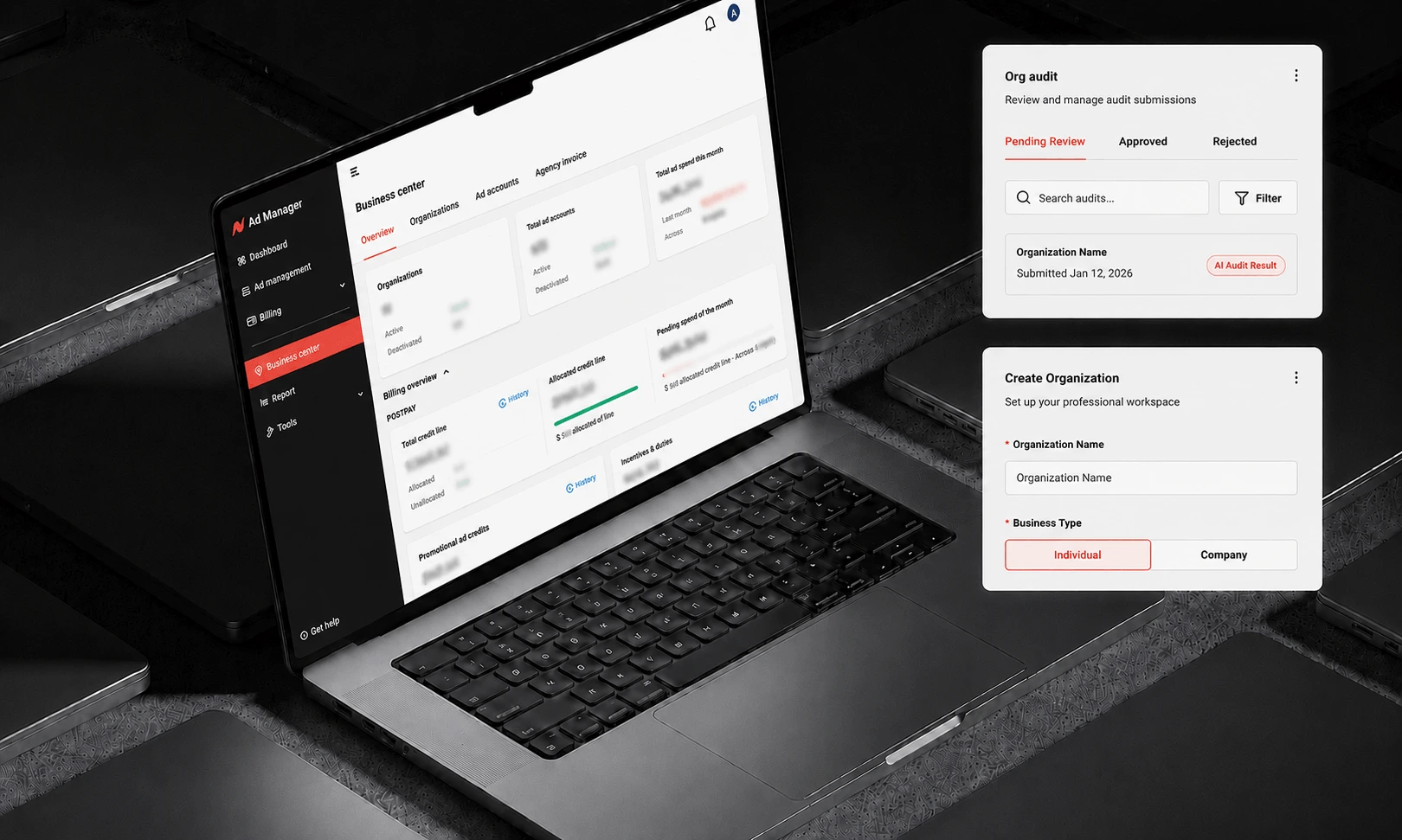
Action. Reviewing and approving or rejecting ads is a System Admin–only action — but "System Admin" itself splits into two working roles with different day-to-day jobs. Ad Ops owns review and compliance: verifying who we're actually doing business with. Ad Manager (an internal role, distinct from the advertiser-facing product of the same name) handles day-to-day platform operations.
The review workflow Ad Ops owns isn't fully manual. AI does a first pass on every submission; anything it clears gets automatically approved, and only what it flags gets routed into the human review queue. That queue is where Ad Ops actually spends their time — not re-checking everything, just the cases the model wasn't confident about. It's the same principle behind the AI agent case study in this portfolio, applied to a different workflow: let AI absorb the volume, and design the human's role around the judgment calls actually worth a person's attention.
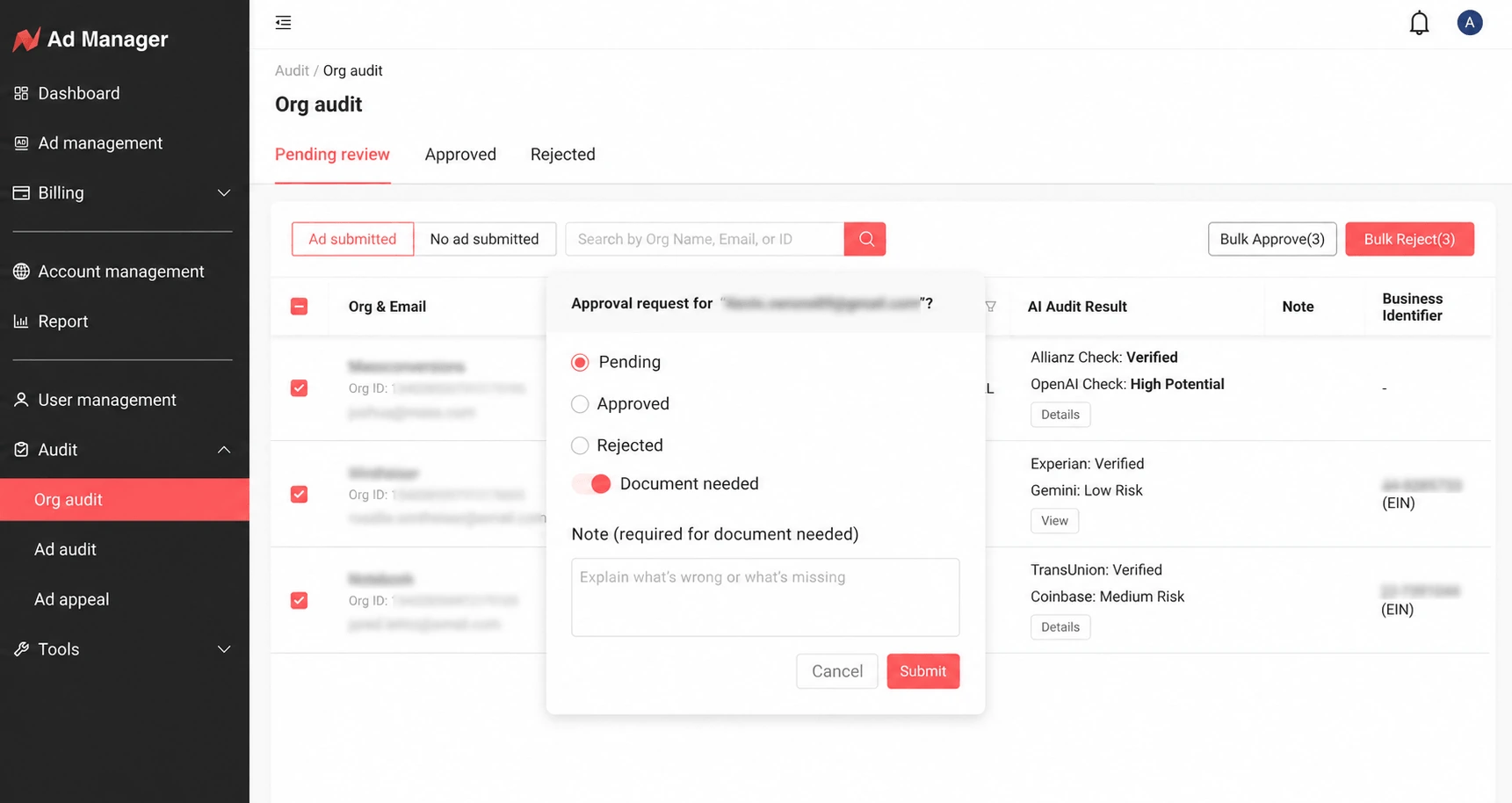
Keeping visibility and action as two separate, independently-configurable layers — rather than one blended "access level" — made the system easier to extend later without rethinking the whole model every time a new edge case, or a new sub-role, came up.
Components: Where Reuse Breaks Down
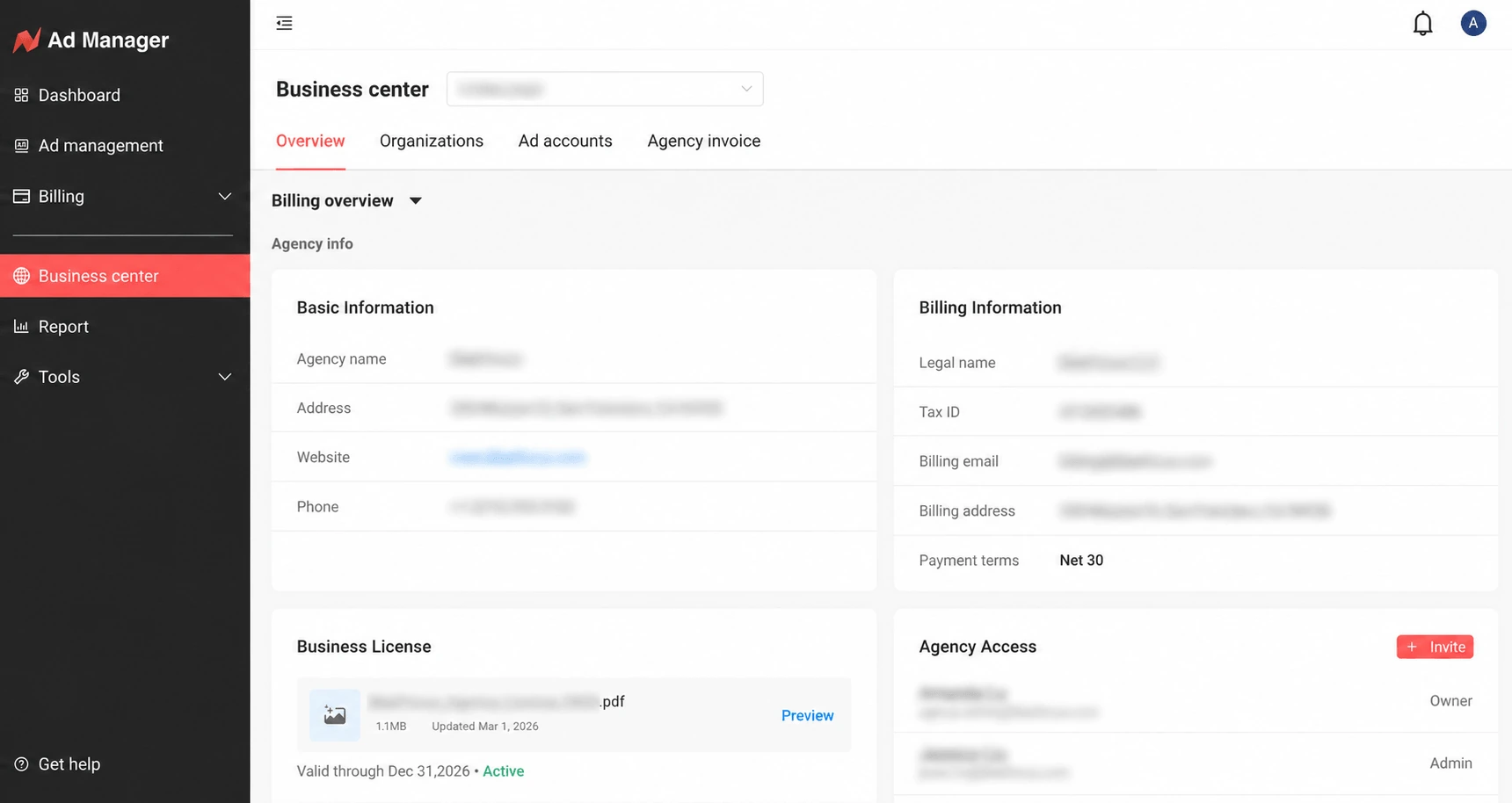
Most components are shared across all three roles. But Agency Portal broke that pattern in a specific way: an agency isn't managing one account, they're managing many. A single agency user might oversee dozens of downstream advertiser accounts, each with its own budget and bidding strategy.
That's a different order of complexity than a General User managing their own campaigns, and it needed its own components — an account switcher, cross-account aggregated reporting, and tools to adjust bidding or budget in bulk across multiple accounts at once. These don't exist anywhere else in the product, because nowhere else does a single user operate on behalf of many accounts simultaneously.
What This Taught Me
The other two projects in this portfolio were both stories of getting something wrong first and finding the right shape through iteration. This one was different — there was no room to learn by shipping the wrong version three times. Designing for three roles from day one meant making the shared-vs-separate call upfront, and living with the consequences of that call as the platform scaled. The lesson wasn't about a single clever framework decision; it was about building the discipline to ask, for every feature, "does this belong in the shared layer, or does it only make sense for one role" — and being honest when the answer was inconvenient.