Designing a Trustworthy AI Companion for Advertisers
AI is very good at completing a task it's given. That's not the same as solving the real business problem behind it. The risk isn't that AI can't build something — it's that a poorly-defined problem gets built, faster than ever, before anyone stops to ask if it's the right thing to build.
That gap is where I saw my role on this project. Translating a messy, ambiguous business situation into the right task — one an AI system can actually execute well — still takes a human who can read user intent, break a scenario into its edge cases, and notice what quietly gets lost or pushed onto the user when a process gets compressed into "just ask the AI."
Context
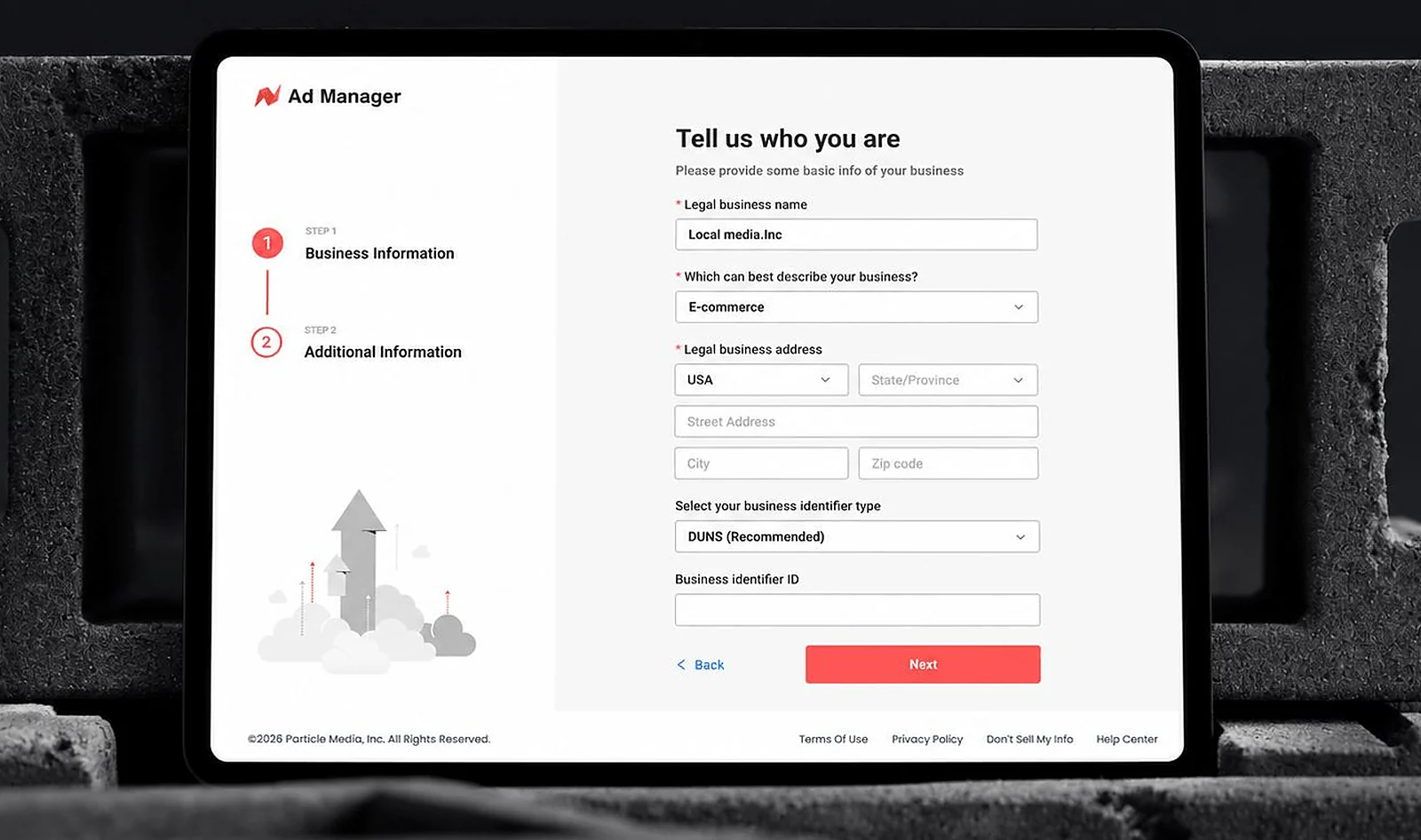
Before this project, customer support ran through a third-party chat tool. It was expensive, slow to respond, and still leaned heavily on human agents to close the gap — every question that required real account or campaign context had to be escalated to a person. As AI matured, we saw an opportunity to bring this capability in-house: not just to answer questions, but to let advertisers create campaigns and get performance insights through natural conversation.
My Role
There was no designer on this project when it started. Engineering and PM had begun shaping the interaction themselves, largely by prompting AI tools to generate flows. I asked to join and take ownership of the interaction design end-to-end — from the product's visual identity down to how every conversation, confirmation, and edge case would behave.
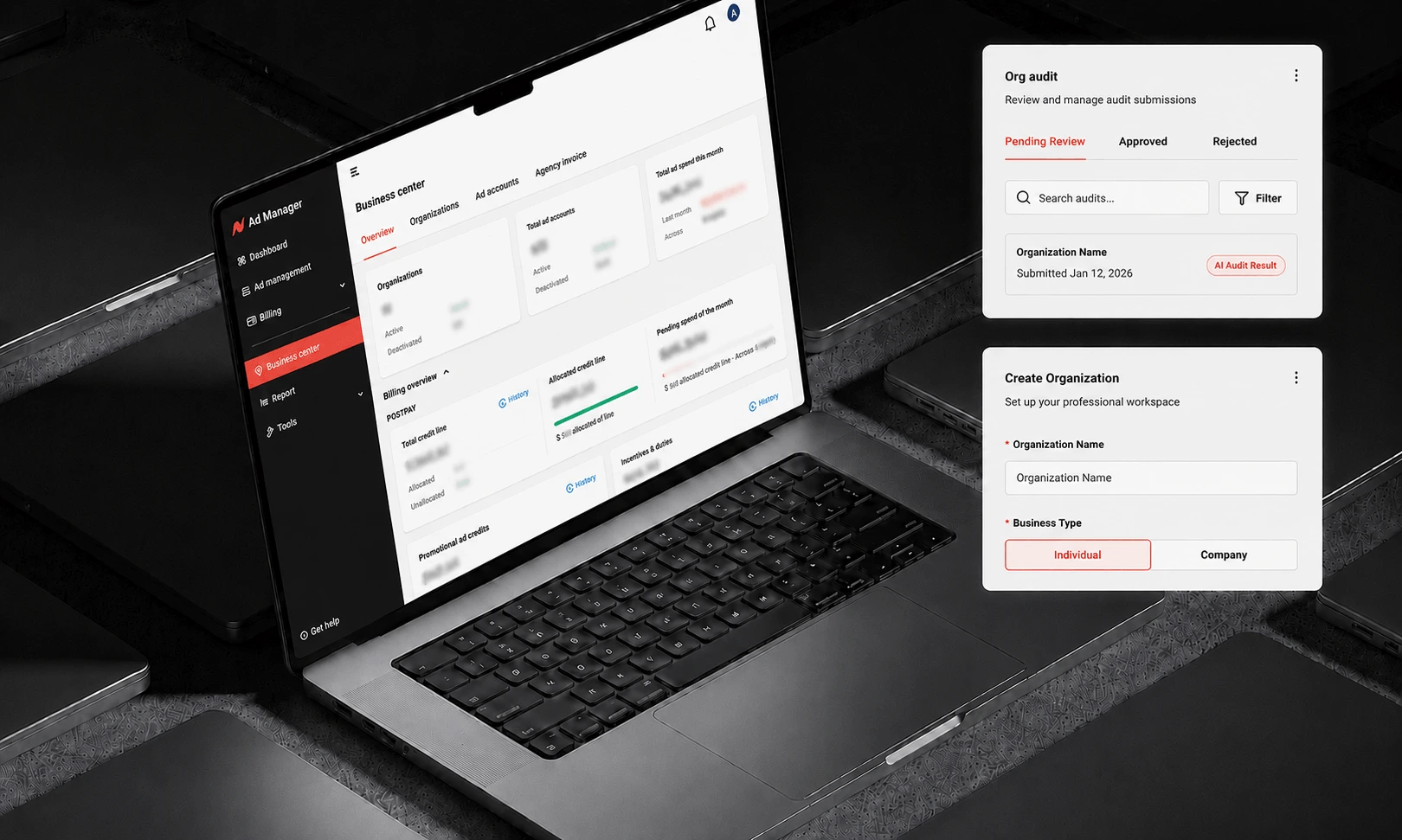
Before I joined, several foundational questions were still open: Should the chat persist across sessions? Can it expand? What file types can users upload, and where does that content go? How should ad creative and daily performance data be displayed inside a chat window? I designed the full system — the logo, the conversation architecture, the campaign-creation flow, the default question sets, and the underlying interaction model — largely from scratch.
The Core Tension: Conversation vs. Control
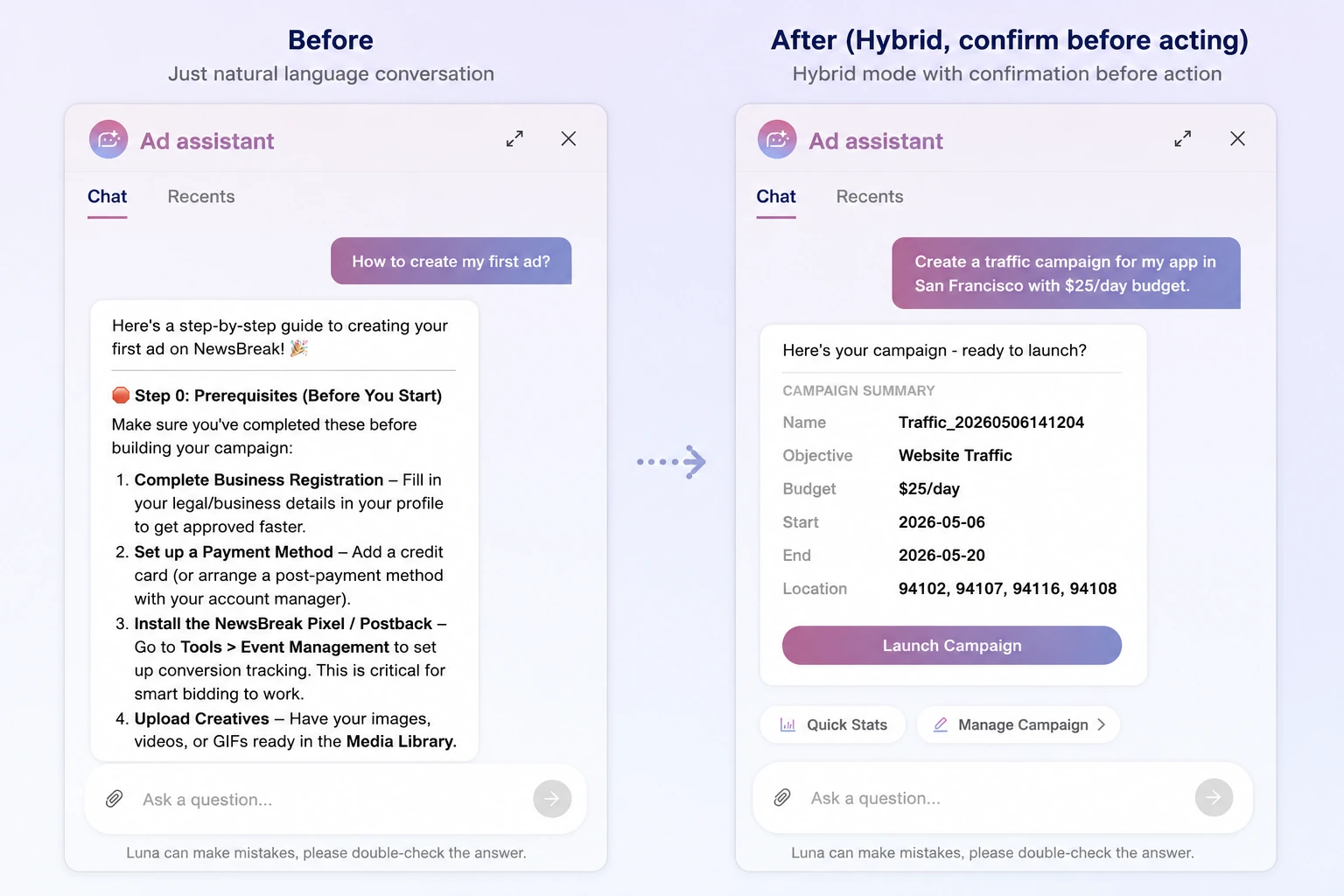
A chat interface feels natural, but a pure conversational UI made it too easy for the AI to misread intent — especially on money-related actions like campaign creation. Early on, we discovered through testing, and repeated iteration with the engineering team, that the model frequently misunderstood what users were actually asking for.
My response was to pull back from pure free-form dialogue toward a hybrid model: conversation as the surface, but backed by structured elements — cards, buttons, confirmation steps — wherever precision mattered more than flexibility. Where the AI was likely to guess wrong, I designed the interaction to ask rather than assume.
Designing for What Users Actually Ask
Rather than guessing what advertisers would want to ask an AI agent, I pulled the full history of questions from the legacy third-party tool and categorized them by type. A clear pattern emerged: new users asked foundational questions ("How do I create my first campaign?"), while existing users asked a wider, more advanced range — performance diagnostics, optimization, troubleshooting rejected ads.
I used this to design tiered default questions: new users see a simplified, guided set of prompts; existing users see a broader set reflecting the more complex questions they actually ask. This reduced blank-page anxiety and gave the AI a narrower, more reliable space to operate in.
Quick Status: Removing the Most Repetitive Ask
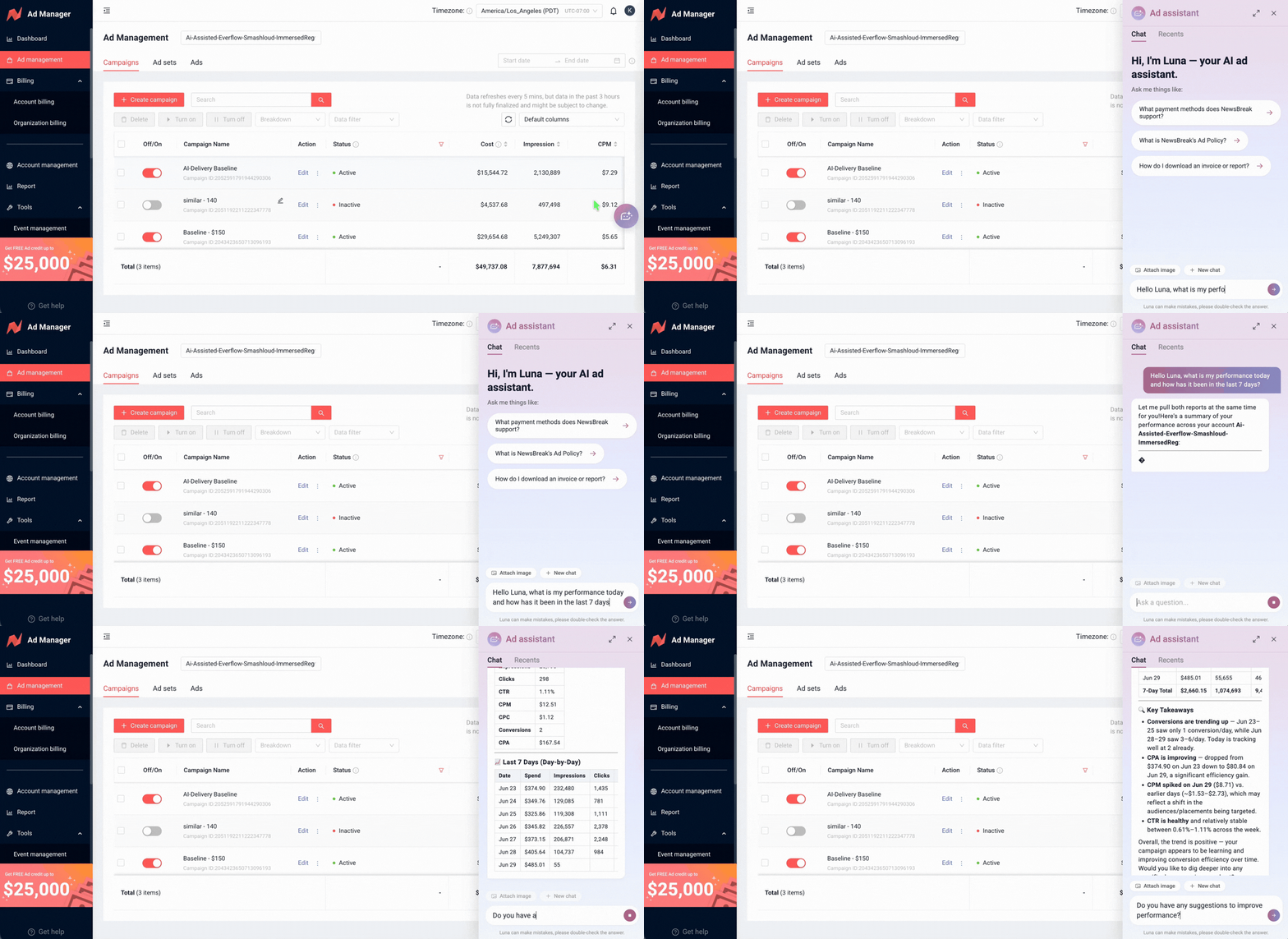
Checking campaign performance was, by far, the most common thing users wanted from the agent — and also the most repetitive to type out. Rather than making users phrase this every time, I designed a persistent Quick Status shortcut in the chat interface. One click returns a mixed text-and-data summary across common time ranges.
This wasn't just a convenience feature — it was a way to sidestep the AI's intent-recognition risk entirely for the highest-frequency use case, replacing open-ended language with a deterministic, one-tap answer.
Closing the Loop When the AI Gets It Wrong
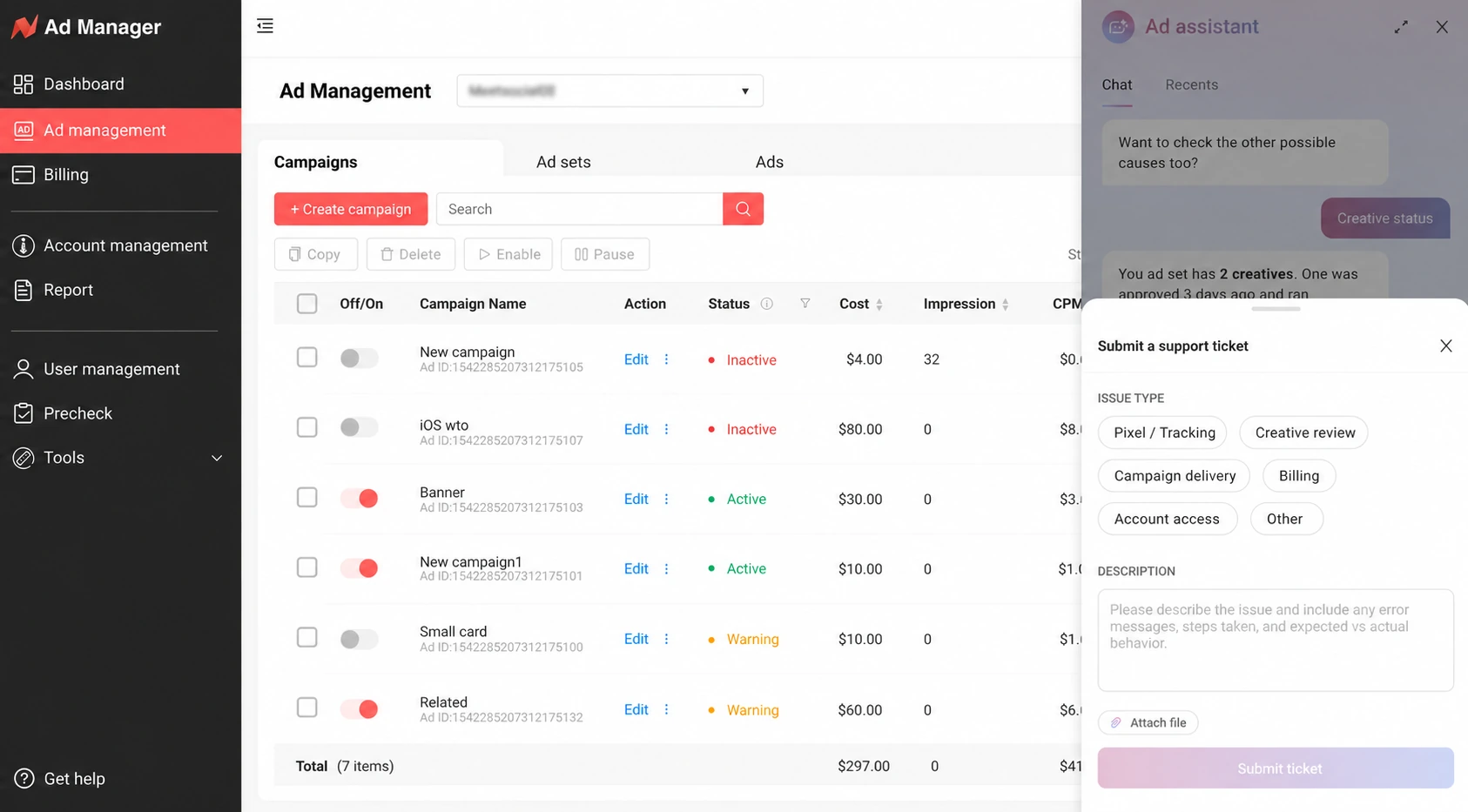
Because the AI wouldn't always be right, I designed a feedback mechanism directly into each response: users can flag whether an answer was correct or not. A negative flag doesn't just log silently — it automatically creates a ticket for the engineering team, routing real failure cases directly into the fix pipeline.
Designing the Chat Window Itself
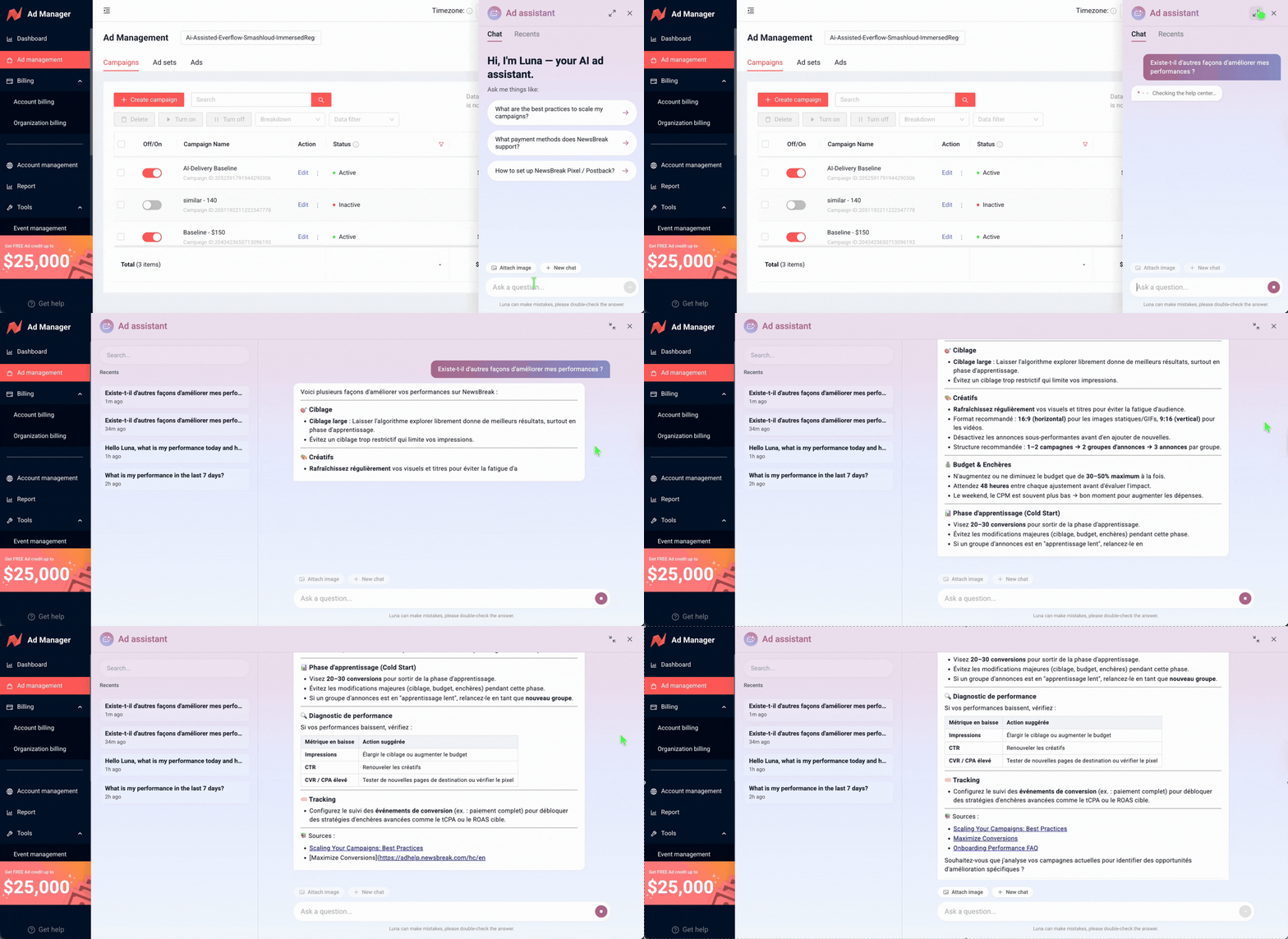
Historical data from the legacy tool showed users didn't need long, multi-turn conversations — most interactions were short and task-specific. But the AI's capabilities were evolving quickly, and I didn't want to design a container that would be outgrown in a quarter. I designed the chat window to stay compact and unobtrusive by default, matching how people actually used it, while leaving room to expand as the agent took on more complex tasks.
What Shipped First
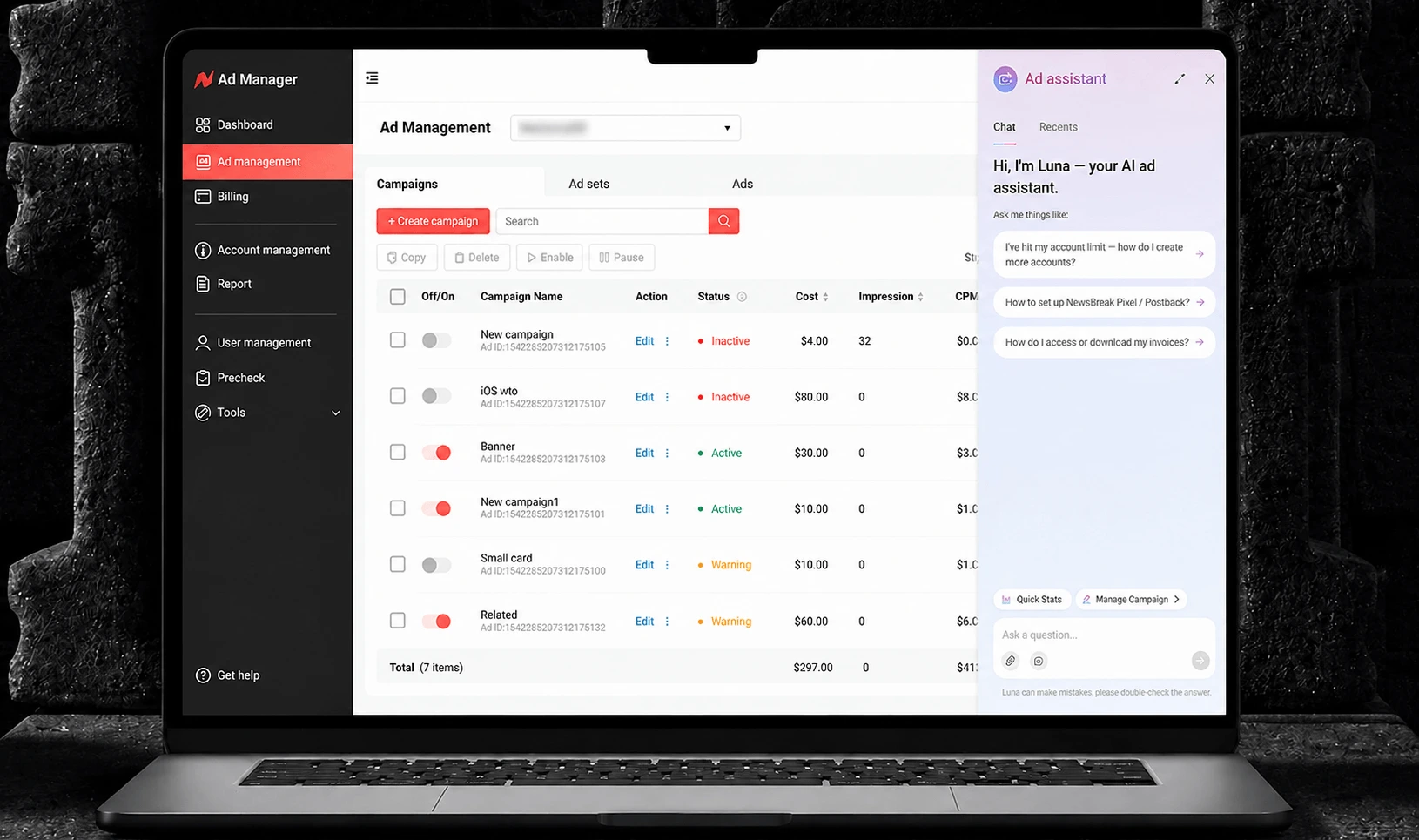
The experience below is LUNA V1 — the version currently live in Ad Manager. We intentionally shipped a focused first release before moving toward more autonomous campaign actions. V1 prioritizes quick access to campaign context, performance questions, and a clear transition between a compact side panel and a larger workspace when an answer needs more room.
The full Ad Manager wasn't usable on mobile web — too much dense functionality for a small screen. Rather than force a compressed version of everything onto mobile, I made a deliberate scope decision: mobile web surfaces only the AI chat, stripped of the complex Ad Manager functionality. Users get quick answers on the go, on the one part of the product mobile screens could actually support well.
Outcome
LUNA V1 is live and in use today. We don't yet have hardened quantitative metrics, but qualitative feedback has been strong, and we're actively instrumenting the product to track adoption and deflection rate against the legacy support channel going forward.
What This Taught Me
Designing for an AI agent isn't just about designing a chat window — it's about deciding, moment by moment, when to trust the model and when to constrain it. The best decisions in this project weren't about making the AI seem smarter; they were about building the scaffolding — confirmations, shortcuts, feedback loops, scoped surfaces — that let a genuinely useful but imperfect AI earn a user's trust.